.png)
How can I show multiple TikTok feeds?
With our Plus plan you can add unlimited TikTok feeds to your store.
To show multiple TikTok feeds on your store, follow these steps:
Step 1 - Connect the new feed to TikTok
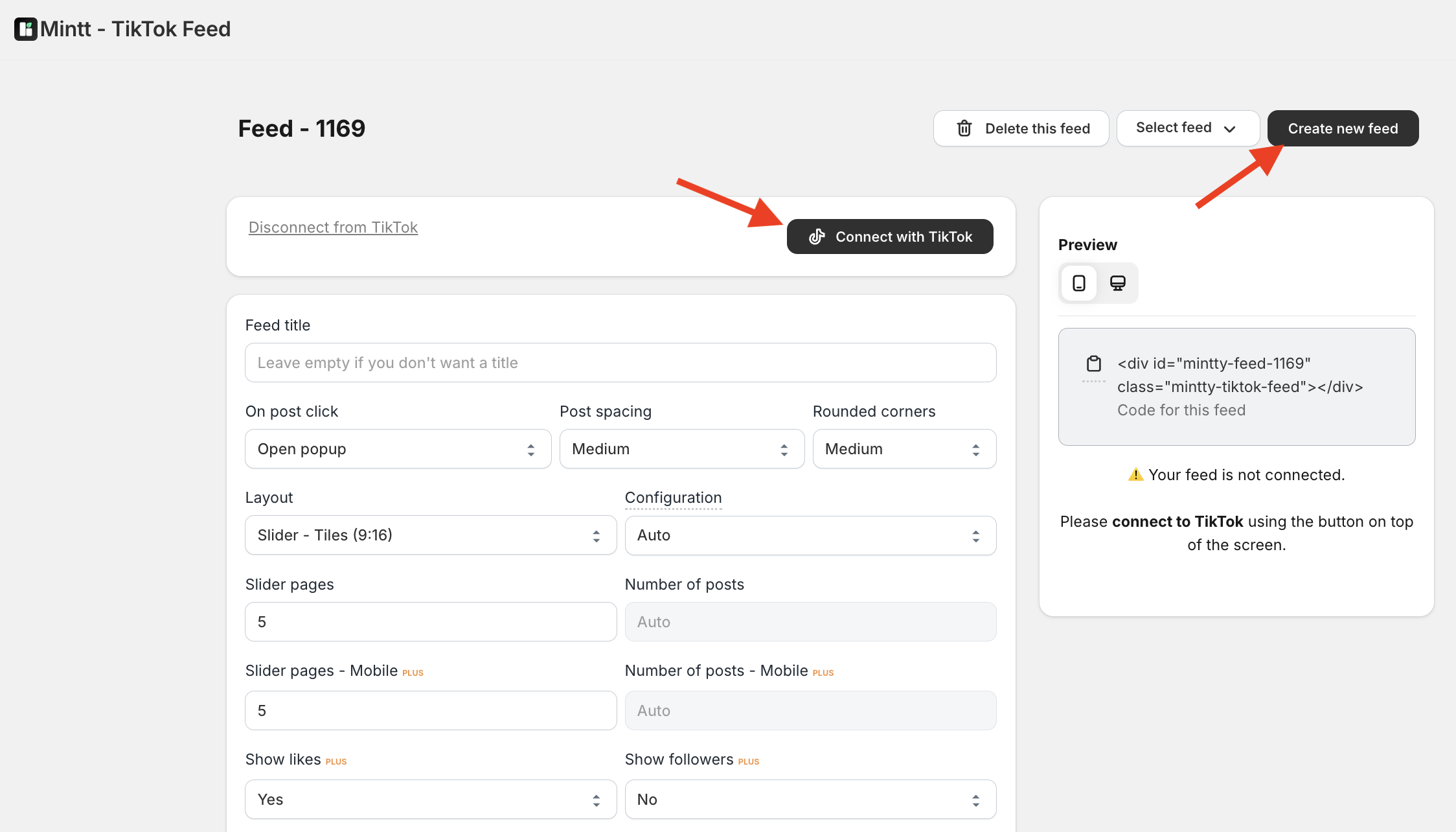
- Go to Shopify > Apps > Mintt - TikTok Feed and click Create new feed.
- Click Connect with TikTok to connect the new feed to TikTok.
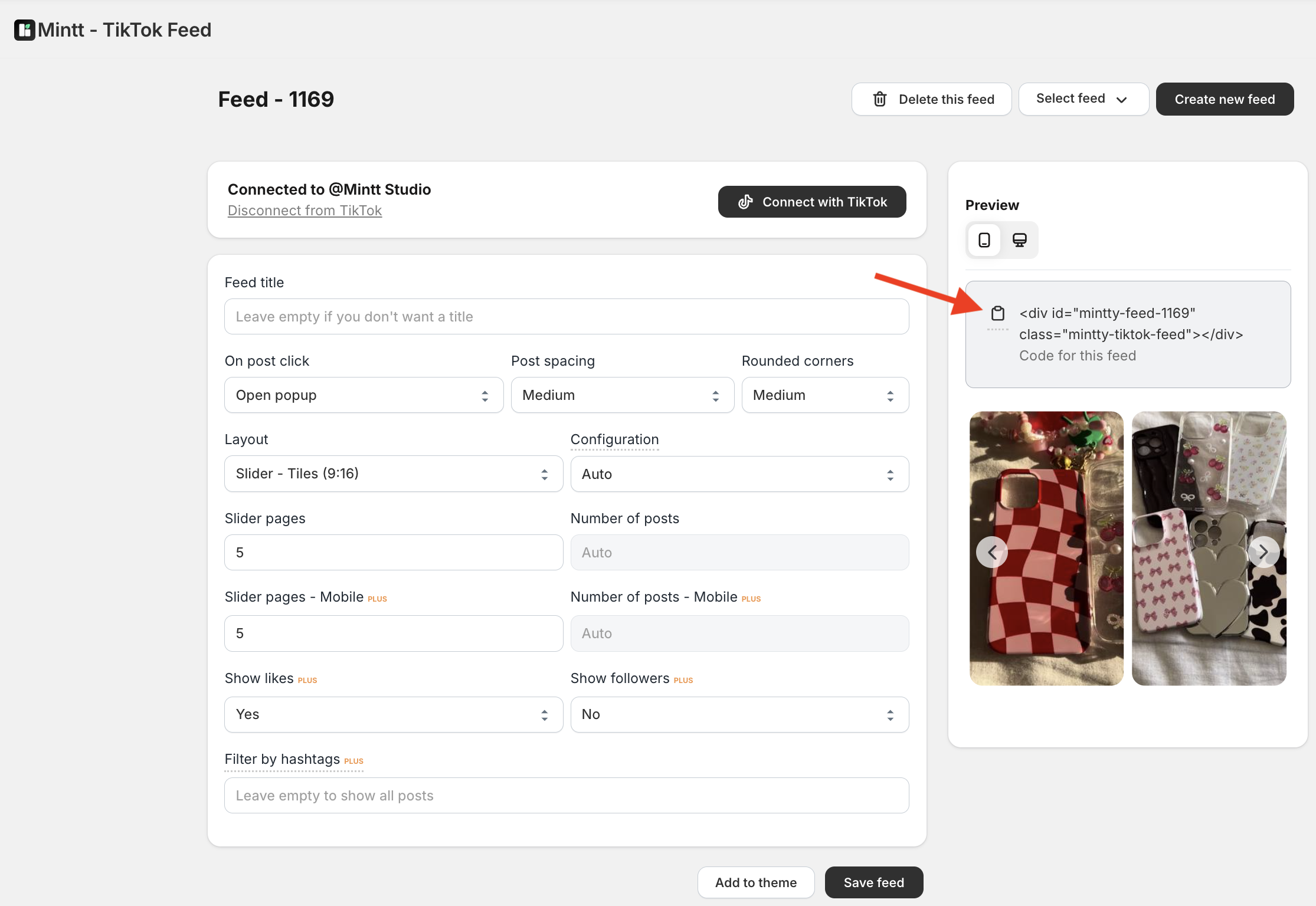
- Copy the code shown in the grey box.
Step 2 - Add the feed to your theme
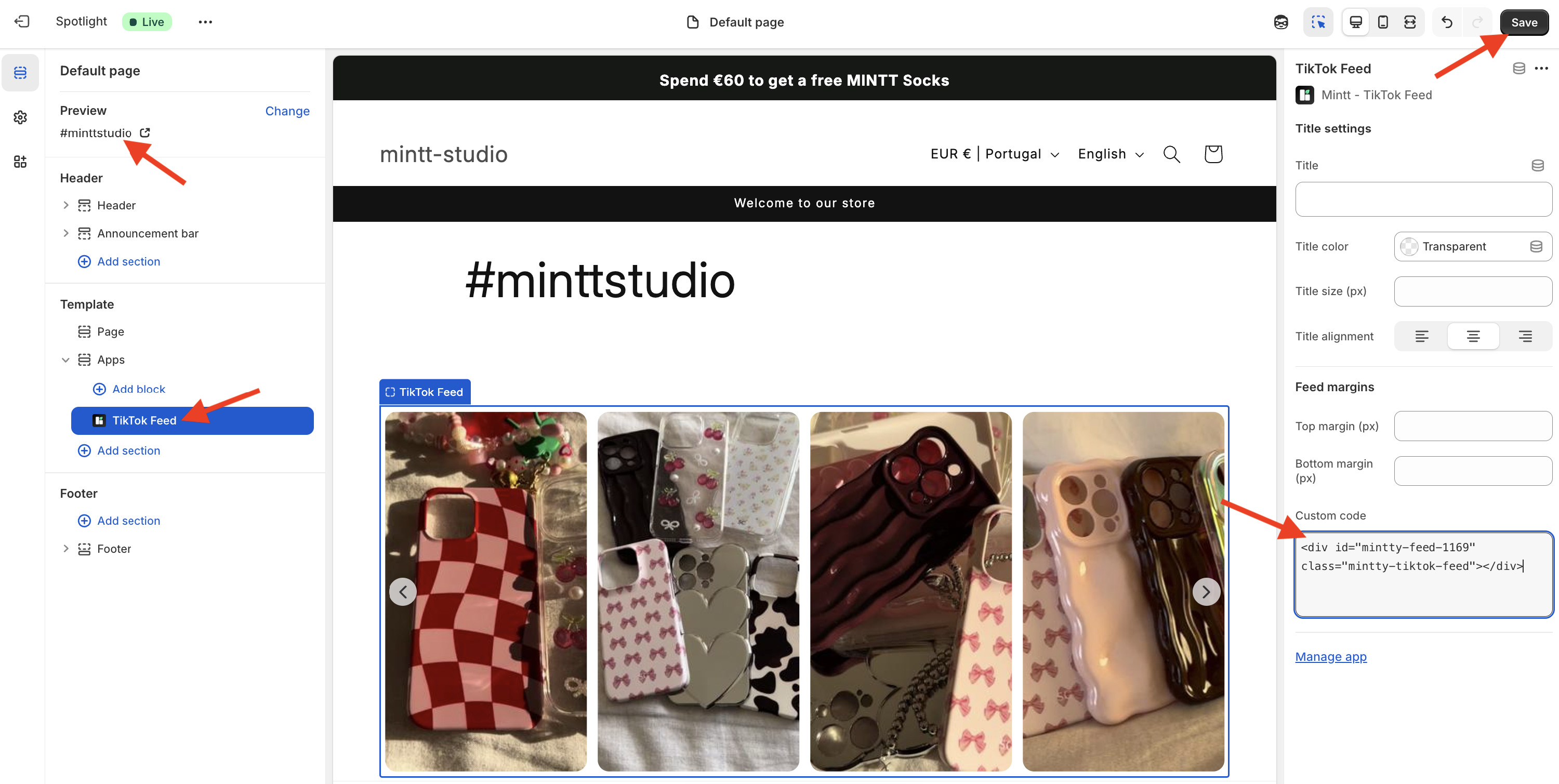
- Go to Online store > Themes > Customize and select the page where you want to add your feed.
- On that page, go to Add section > Apps > TikTok Feed.
- Paste the feed code under the Custom Code area within the Mintt - TikTok Feed section.
- Press Save.
To add more secondary feeds, repeat the steps above.
Common questions
- How can I add feeds from different TikTok accounts?
Read our guide for more details on how to add multiple feeds from different Instagram accounts.