Instagram Stories (up to 24 hours) are available in our Pro and Plus plans.
To create a feed with Instagram Stories only:
- Go to the Shopify > Apps > Instafeed configuration page.
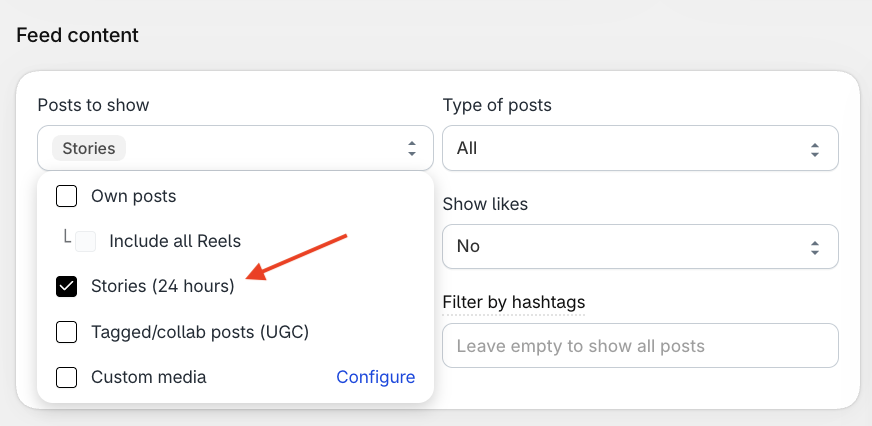
- On Posts to show, select Stories (24 hours).
- Click Save feed.
Combine Instagram Stories with other content
To combine Instagram Stories with other content such as your own Instagram posts, Instagram tagged/collab posts (UGC) and custom media, simply check the options from the dropdown menu under Posts to show. Instagram tagged/collab posts (UGC) and custom media require the Plus plan.