Post size depends on the number of columns in your feed (grid layout) or the number of visible posts (slider layout).
The simplest option is to let Mintt Instafeed decide the size. Choose Auto under Number of columns (grid) or Visible posts (slider).
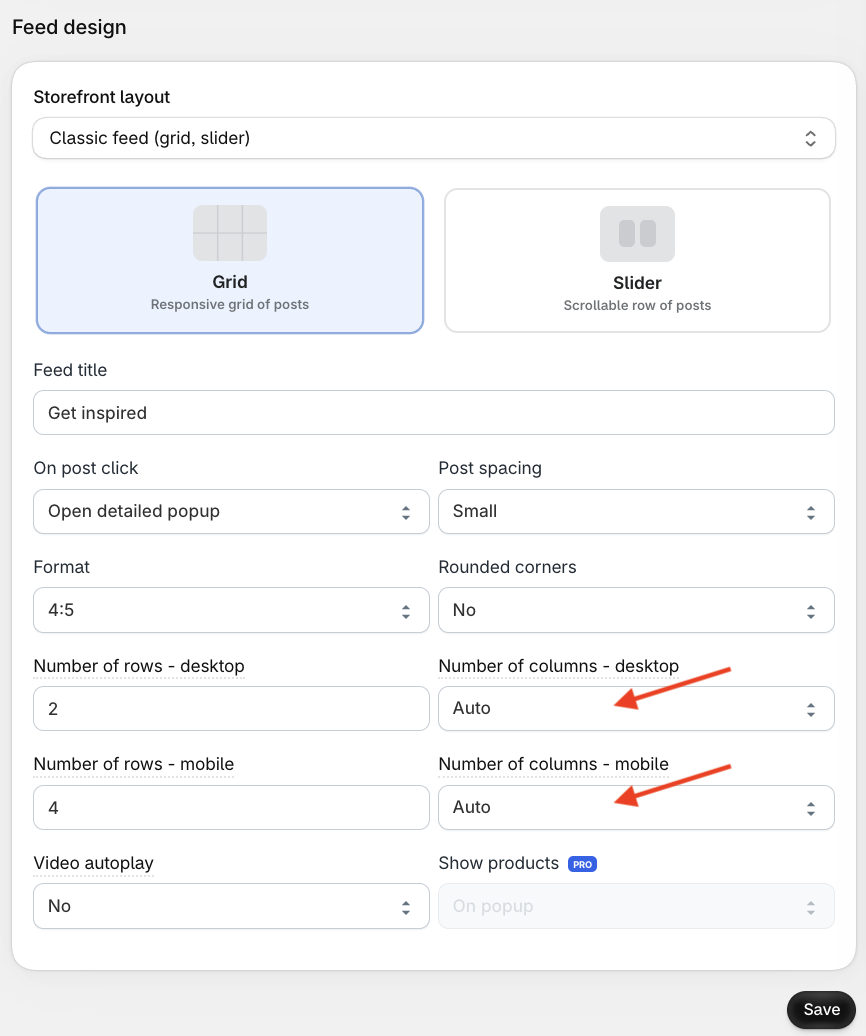
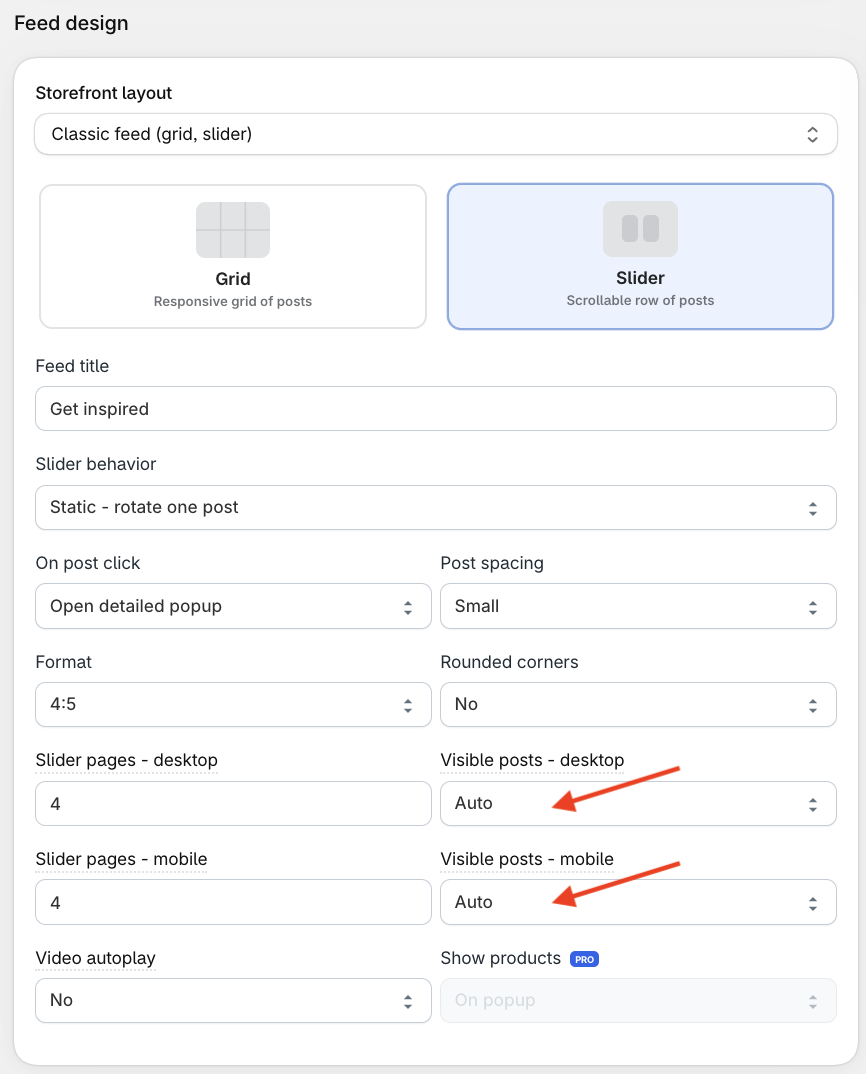
Alternatively, you can set the number of columns (grid) yourself. Fewer columns make posts larger, and more columns make them smaller. On a slider, set Visible posts the same way. You can use different numbers for desktop and mobile.
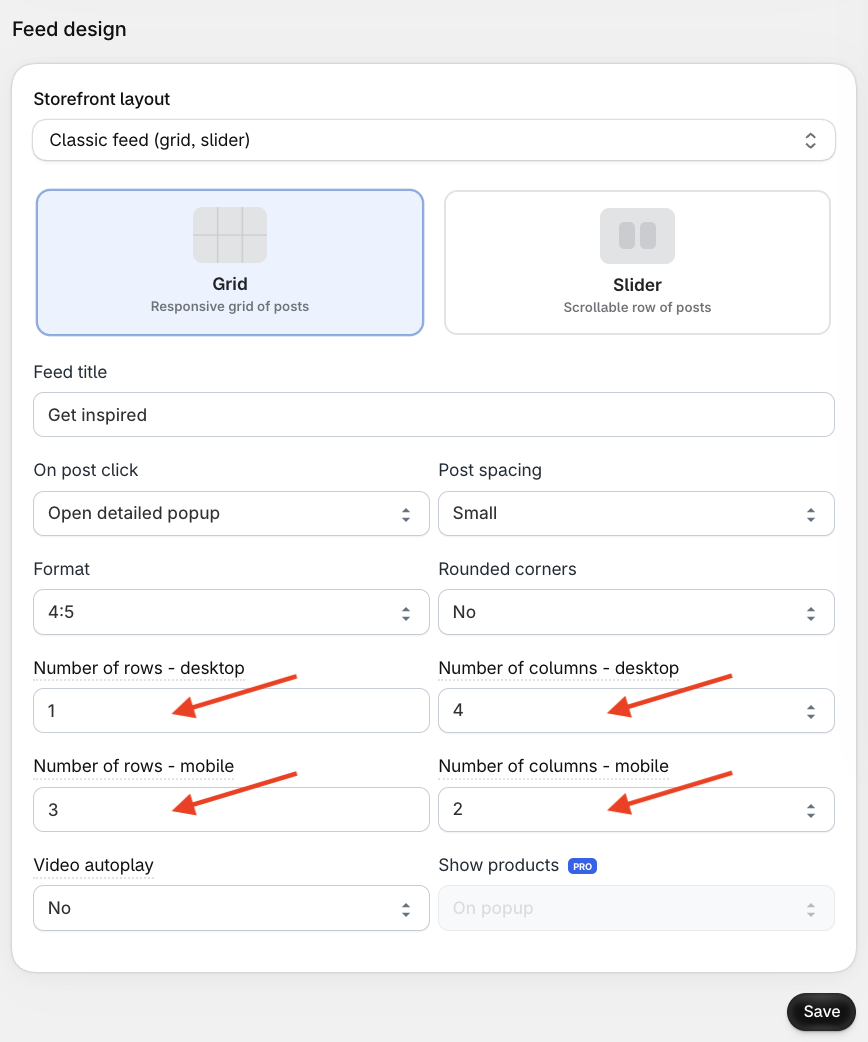
These settings are available when the Storefront layout is Classic feed (grid, slider).